Master Camera Strap Ergonomics: Ultimate Guide to Prevent Fatigue During Long Photography Sessions
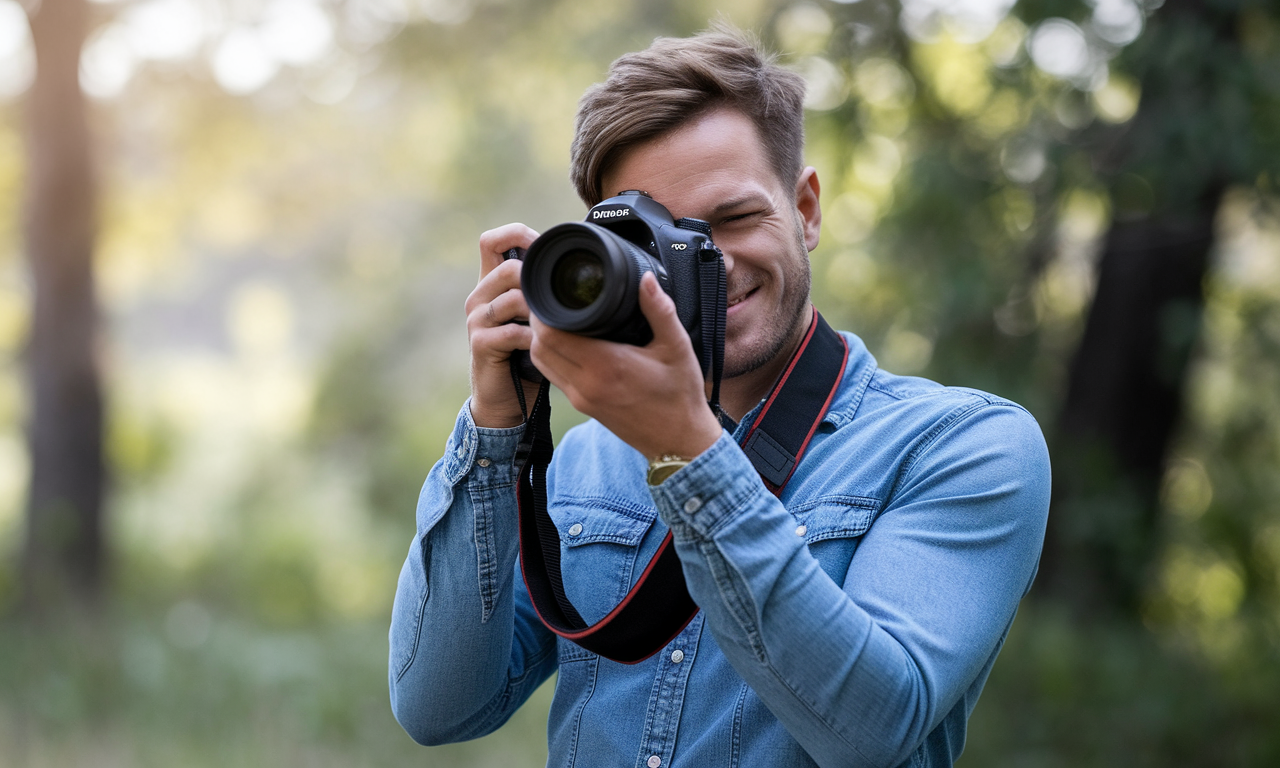
Long photography sessions can take a toll on your body. Poor camera strap ergonomics leads to neck strain, shoulder pain, and hand fatigue. This guide shows you how to set up your camera for comfort and stability.
The right grip and strap setup prevents injury during extended shoots. You'll learn proven techniques that professional photographers use daily. These methods reduce fatigue and improve your shooting performance.
Weight distribution matters more than camera size. A heavy camera with proper ergonomics feels lighter than a small one with poor setup. Master these fundamentals to shoot comfortably for hours.
Step-by-Step Guide
Choosing the Right Strap Type
Neck straps work well for light cameras under two pounds. They distribute weight across your neck and shoulders evenly. Choose padded straps to reduce pressure points and improve comfort.
Shoulder straps excel with heavier camera setups. They shift weight to your stronger shoulder muscles instead of your neck. Cross-body positioning prevents the camera from swinging during movement.
Dual-shoulder harness systems handle the heaviest gear combinations. They spread weight across both shoulders and your back. Professional wildlife and sports photographers rely on these systems daily.
Proper Camera Strap Ergonomics Setup
Adjust strap length so the camera hangs at your hip level. This position reduces strain on your neck and allows quick access. The camera should not hit your body when walking.
Test different attachment points on your camera body. Front and side attachment points change how the camera hangs. Side attachments often provide better balance for cameras with large lenses.
Consider using a hand strap for additional security. This backup system prevents drops if the main strap fails. It also improves grip stability during active shooting.
Optimizing Grip Techniques
Position your right hand around the camera grip with fingers wrapped underneath. Your index finger should reach the shutter button comfortably. Avoid gripping too tightly as this causes hand fatigue.
Support the lens weight with your left palm underneath the barrel. Keep your left thumb and fingers free for focus and zoom adjustments. This hand position prevents lens droop and improves stability.
Tuck your elbows against your body for additional support. This creates a stable triangle between your hands and torso. The technique reduces camera shake and decreases muscle strain.
Practical Applications
Wedding Photography Sessions
Wedding photographers often shoot for eight to twelve hours straight. Use a dual-camera harness system to carry ceremony and reception setups. Switch between cameras instead of changing lenses frequently.
Position one camera at hip level and the second slightly higher. This prevents the cameras from banging together while moving. Quick-release clips allow fast camera switching during key moments.
Wildlife and Nature Photography
Long telephoto lenses create significant weight challenges in the field. Use a lens collar with a separate strap attachment point. This shifts weight from the camera body to the lens barrel.
Consider a tripod collar with built-in strap lugs for super telephoto lenses. This setup provides better balance and reduces stress on camera mounts. Many professional wildlife photographers prefer this configuration.
Street and Documentary Photography
Street photographers need quick camera access and low profile carrying. Cross-body shoulder straps work well for fast-paced shooting environments. The camera stays secure while allowing rapid deployment.
Wrist straps provide additional security in crowded areas without restricting movement. They prevent accidental drops while maintaining shooting flexibility. Choose low-profile designs that don't interfere with camera controls.
Tips & Tricks
Photography Fatigue Prevention Strategies
Take breaks every thirty minutes to stretch your neck and shoulders. Roll your shoulders backward and forward to release tension. Simple stretches prevent muscle stiffness during long shoots.
Alternate between shooting positions to engage different muscle groups. Switch from handheld to tripod shooting periodically. This gives your arms and shoulders time to recover.
Stay hydrated and maintain good posture throughout your session. Dehydration increases muscle fatigue and reduces shooting performance. Keep water nearby and drink regularly.
Camera Stability Tips for Handheld Shooting
Use your camera strap as a stabilizing aid by creating tension. Extend the strap and pull against it with your body. This technique reduces camera shake without additional equipment.
Find stable surfaces to brace against when possible. Lean against walls, trees, or other solid objects for support. This improves stability without the weight of a tripod.
Advanced Grip Techniques
Practice the thumb-over-lens technique for better control with large lenses. Place your left thumb over the lens barrel for additional grip. This position provides better balance and reduces strain.
Use lens foot support when shooting with telephoto lenses handheld. Rest the lens foot on your forearm for additional stability. This technique works well for quick shots without tripod setup.
Equipment Modifications
Add grip tape to smooth camera surfaces for better hand position. Textured surfaces reduce grip fatigue and improve control. Many professional cameras include grip texture from the manufacturer.
Consider battery grips for improved handling of smaller cameras. They provide better balance and longer shooting time. The additional weight may actually improve stability with light camera bodies.
Sample Scenario
Portrait Session Setup
Say you are preparing for a three-hour outdoor portrait session with a full-frame camera and an 85mm lens. Weigh your own kit, since body and lens weights vary a lot between models, and plan your strap around that number.
A padded shoulder or sling-style strap usually spreads the load across more of your body than a thin neck strap, which matters over a long session. Adjust the length so the camera rests comfortably at hip level and you can bring it to your eye without stretching.
Support the camera with your right hand on the grip and your left hand cradling the lens from underneath, and keep your elbows tucked against your body for stability.
What to Watch For
Over a long session, build in short stretch breaks and alternate between handheld and tripod shooting to rest your arms.
Notice where you feel strain first. Neck or shoulder discomfort can point to a strap that is too thin or set too short, and sore hands can mean it is time to adjust your grip or add support for a heavy lens.
If your images start to soften late in the session, fatigue may be affecting your stability. Adjust your setup, take a break, or switch to a tripod.
Key Do's for Effective Usage
Essential Best Practices
- Choose strap type based on your camera weight and shooting style
- Adjust strap length for comfortable camera positioning at hip level
- Support lens weight with your non-dominant hand underneath the barrel
- Keep your elbows tucked against your body for stability
- Take regular breaks to stretch and prevent muscle fatigue
Weight Distribution Guidelines
- Use neck straps only for cameras under two pounds total weight
- Switch to shoulder or cross-body straps for heavier setups
- Consider dual-shoulder harnesses for professional gear combinations
- Attach straps to lens collars on telephoto lenses when possible
- Test different attachment points to find optimal balance
Comfort and Safety Measures
- Always use backup safety straps with expensive equipment
- Check strap condition regularly for wear and tear
- Replace worn straps before they fail during shooting
- Keep strap connections clean and properly tightened
- Practice proper lifting techniques when putting on heavy camera rigs
Common Mistakes to Avoid
Strap Configuration Errors
Never use thin straps with heavy camera equipment. Narrow straps concentrate pressure and cause pain quickly. Always choose padded straps wide enough to distribute weight properly.
Avoid setting strap length too short or too long. Short straps force awkward shooting positions and increase strain. Long straps allow excessive camera movement and reduce control.
Don't ignore strap attachment security when mounting heavy lenses. Improper mounting can damage camera mounts or cause equipment drops. Always verify connections before shooting.
Grip and Posture Problems
Gripping the camera too tightly causes unnecessary hand and arm fatigue. Maintain a firm but relaxed grip that allows smooth operation. Tension should come from proper support, not muscle force.
Poor left hand positioning fails to support lens weight properly. This creates imbalance and increases strain on your right hand. Always support lens weight with your non-dominant hand.
Holding arms away from your body reduces stability and increases fatigue. Keep elbows close to your torso for natural support. This position feels more comfortable and improves image sharpness.
Equipment and Safety Issues
Using worn or damaged straps risks expensive equipment damage. Inspect straps regularly for fraying, weak points, or hardware problems. Replace straps before they show significant wear.
Ignoring backup safety systems with valuable gear increases drop risk. Hand straps provide additional security if main straps fail. Professional photographers always use multiple attachment points.
Skipping regular breaks leads to reduced performance and potential injury. Fatigue affects your ability to hold cameras steady and react quickly. Schedule breaks even during busy shooting sessions.
Troubleshooting & FAQs
Common Issues and Solutions
Q: My neck hurts after using a camera neck strap. What's wrong?
A: Your camera setup is too heavy for a neck strap. Switch to a shoulder strap or harness system. Neck straps work best with cameras under two pounds total weight including lenses.
Q: The camera keeps swinging when I walk. How do I stop this?
A: Adjust your strap length so the camera sits closer to your body. Cross-body positioning also reduces swing. Some photographers use strap clips to secure cameras to their belt.
Q: My hands cramp during long shooting sessions. What helps?
A: You're probably gripping too tightly. Relax your grip and use proper support techniques. Take breaks to stretch your hands and fingers. Consider grip-enhancing accessories if needed.
Equipment Selection Questions
Q: Should I use different straps for different lenses?
A: Yes, lens weight significantly affects strap choice. Light lenses work fine with neck straps. Heavy telephoto lenses need shoulder straps or harness systems for comfort.
Q: What's the best strap for wedding photography?
A: Dual-camera harness systems work best for weddings. They let you carry two bodies with different lenses. This reduces lens changing time during important moments.
Q: How often should I replace camera straps?
A: Inspect straps monthly for wear signs. Replace them yearly with heavy use or when you notice fraying. Never risk expensive equipment with worn straps.
Performance and Comfort Issues
Q: Why do my photos look shaky even with proper technique?
A: Check your shutter speed versus focal length rule. Use faster shutter speeds or additional stabilization. Fatigue also affects stability, so take regular breaks.
Q: Can camera straps improve my shooting stability?
A: Yes, create tension with your strap for additional stability. Pull against the strap with your body while shooting. This technique works as a makeshift stabilizer.
Bringing It All Together
Proper camera strap ergonomics transforms your photography experience. The right setup prevents fatigue and improves image quality. These techniques become second nature with consistent practice.
Start with basic strap and grip adjustments for immediate comfort improvements. Match your equipment to your shooting style and session length. Invest in quality straps that support your camera weight properly.
Regular breaks and proper posture prevent long-term injury. Your body will thank you for taking care of it. Comfortable photographers create better images because they can focus on composition instead of pain.
Remember that comfort leads to better creativity and sharper images. When you're not fighting fatigue, you can concentrate on capturing perfect moments. Master these fundamentals and enjoy photography sessions that energize rather than drain you.