White Balance Precision: How to Use Custom Kelvin Settings and Gray Cards for Accurate Color in Mixed Lighting Conditions
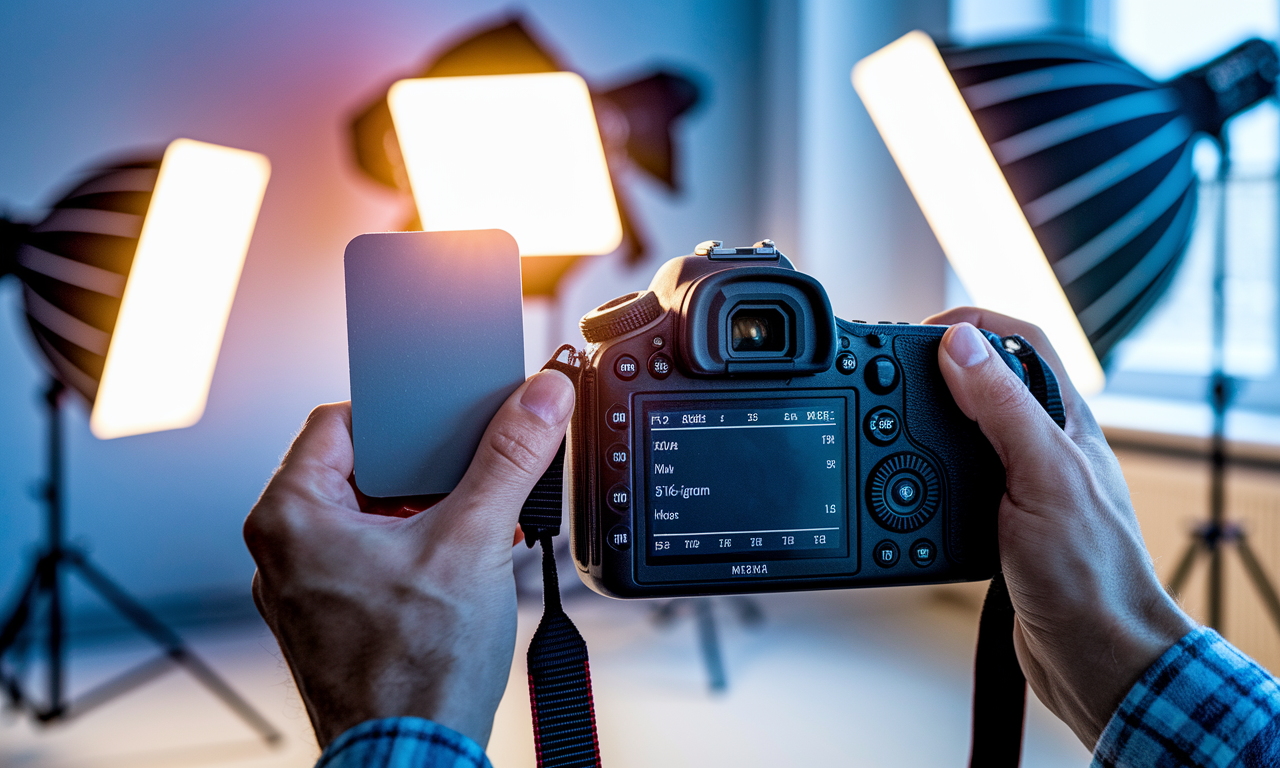
Mastering white balance settings separates amateur photographers from professionals. Perfect color accuracy becomes challenging when multiple light sources create complex lighting conditions. Mixed lighting environments demand precise control over your camera's color temperature correction.
Gray cards provide a neutral white reference that helps achieve accurate colors. Custom kelvin temperature settings give photographers complete control over color balance. These tools work together to solve even the most difficult lighting challenges.
Professional photographers rely on these color accuracy techniques for consistent results. Understanding these methods transforms your ability to capture true-to-life images. Your photos will display natural colors regardless of lighting complexity.
Step-by-Step Guide
Setting Up Custom Kelvin Temperature
Access your camera's white balance menu and select the Kelvin option. Most cameras display this as "K" or "Custom Temperature." The setting allows manual input of specific color temperature values.
Start by identifying your primary light source temperature. Tungsten bulbs typically measure 2700K while daylight reads 5600K. LED lights vary widely from 3000K to 6500K depending on their design.
- Candles and firelight: 1900K
- Household tungsten bulbs: 2700K
- Warm LED lights: 3000K
- Cool white fluorescent: 4100K
- Flash and strobes: 5500K
- Daylight at noon: 5600K
- Overcast sky: 6500K
- Open shade: 7500K
Preparing Your Gray Card Setup
Position an 18% gray card in your scene before taking any photos. The card must receive the same lighting as your main subject. Avoid casting shadows on the card with your camera or body.
Fill your viewfinder completely with the gray card for the reference shot. Focus manually since gray cards can confuse autofocus systems. Take one well-exposed reference image before removing the card.
Professional gray cards include multiple neutral tones for different purposes. White and black references help set exposure limits. The 18% gray provides the most accurate neutral white reference point.
Creating Custom White Balance Presets
Navigate to your camera's custom white balance function after taking the gray card shot. Select the reference image you just captured. The camera analyzes the gray card to calculate proper color correction.
Save this custom setting to one of your camera's preset slots. Many cameras offer multiple custom white balance memories. Label each preset with tape on your camera body for quick identification.
Test the new preset by photographing a subject with known colors. White paper or colored objects help verify accuracy. Make fine adjustments using your camera's white balance shift controls if needed.
Practical Applications
Wedding Photography Challenges
Wedding venues combine multiple light sources that create mixed lighting photography challenges. Churches feature warm tungsten lights mixed with cool daylight through stained glass. Reception halls blend LED uplighting with incandescent table lamps.
Create separate custom white balance presets for each major lighting zone. Take gray card readings in the ceremony area before guests arrive. Capture reference shots near the altar and in the main seating area.
Switch between presets as you move through different areas during the event. This approach maintains consistent skin tones and dress colors. Your wedding photos will show natural colors throughout the entire celebration.
Corporate Event Documentation
Conference rooms present unique white balance settings challenges with their mixed lighting environments. Fluorescent ceiling lights combine with LED projectors and tungsten accent lighting. Windows add varying amounts of natural daylight throughout the day.
Measure the dominant light source using custom kelvin temperature settings around 4200K. Fine-tune based on gray card readings taken from the speaker's position. Account for projector light affecting the presentation area differently.
Document color changes throughout the day as natural light shifts. Morning sessions require different white balance settings than afternoon presentations. Evening events need completely different color temperature correction as artificial lights dominate.
Product Photography Applications
E-commerce photography demands absolute color accuracy for customer satisfaction. Mixed lighting from softboxes and natural window light creates complex color casts. Gray card photography becomes essential for maintaining consistent product colors across multiple shots.
Place a small gray card next to each product group for reference. Keep the card in the same lighting plane as your subject. This technique ensures accurate color reproduction for online catalogs and print materials.
Tips & Tricks
Advanced Gray Card Techniques
Angle your gray card slightly away from direct light sources to avoid glare. Reflective surfaces on the card create hotspots that affect readings. Position the card at a 45-degree angle to strong lights when possible.
Use larger gray cards for better accuracy in complex lighting situations. Small cards work well for close-up subjects but struggle in large spaces. Professional cards measure 8x10 inches for optimal light capture and measurement.
- Clean your gray card regularly with a soft cloth
- Store cards flat to prevent warping and color shifts
- Replace cards annually for maximum accuracy
- Consider digital gray card apps for emergency situations
- Keep backup cards in different camera bags
Kelvin Temperature Fine-Tuning Methods
Start with standard values then adjust in 100K increments for precision. Small changes make noticeable differences in skin tones and color accuracy. Most cameras allow adjustments from 2500K to 10000K in their custom settings.
Combine Kelvin settings with magenta-green shift controls for complete color control. Fluorescent lights often need green compensation while LED lights may require magenta adjustment. These secondary controls refine your primary temperature setting.
Workflow Optimization Strategies
Create a systematic approach to white balance measurement in each new location. Take gray card references immediately upon arrival before other photography begins. This habit prevents color correction problems later in post-processing.
Label your custom presets with masking tape directly on your camera body. Use simple codes like "W1" for wedding preset one or "C1" for corporate preset one. Quick identification saves time during fast-paced shooting situations.
Sample Scenario
Restaurant Interior Photography Project
A high-end restaurant hired you to photograph their interior and food for marketing materials. The dining room features warm Edison bulb fixtures at 2400K mixed with cool LED accent lighting at 4000K. Large windows provide changing daylight throughout the shoot.
You arrive during lunch service when natural light dominates the window tables. Place your gray card on a table near the windows and capture a reference shot. Set your custom kelvin temperature to 5200K to balance the mixed daylight and warm interior lights.
Create a custom white balance preset from the gray card image. Test the setting by photographing white plates and colorful dishes. The food appears natural and appetizing without the orange cast from tungsten lighting.
Evening shots require a different approach as artificial lights become dominant. Take a new gray card reading near the Edison bulb fixtures. Adjust your kelvin temperature to 2800K and create a second custom preset for low-light photography.
Switch between presets as you move from window seats to interior booths. The bar area needs its own setting due to colored accent lighting. Your systematic approach delivers consistent color accuracy throughout the diverse restaurant environment.
Key Do's for Effective Usage
Always take gray card reference shots in the exact lighting your subject will experience. Position the card at the same distance and angle as your main subject. This practice ensures the most accurate neutral white reference for color correction.
Create multiple custom white balance presets for complex shoots with changing conditions. Save different settings for various lighting zones within the same location. Quick preset switching maintains color consistency as you move through different areas.
- Use proper exposure when photographing your gray card reference
- Keep gray cards clean and replace them when they show wear
- Take new reference shots when lighting conditions change significantly
- Practice switching between custom presets until it becomes second nature
- Verify color accuracy by photographing known neutral objects after setting white balance
Monitor your camera's histogram when taking gray card shots for optimal exposure. The gray card should appear as a centered spike without clipping highlights or shadows. Proper exposure ensures accurate color temperature measurements for your custom settings.
Document your custom kelvin temperature settings for future reference in similar locations. Keep notes about which settings work best for specific venues or lighting conditions. This information speeds up your setup process for return visits or similar assignments.
Common Mistakes to Avoid
Never rely solely on auto white balance in mixed lighting situations. Cameras struggle to identify the correct color temperature when multiple light sources are present. Auto settings often create inconsistent results between frames shot seconds apart.
Avoid using dirty or damaged gray cards for color reference measurements. Stains and scratches affect the neutral properties essential for accurate readings. Replace cards showing visible wear or discoloration to maintain precision in your white balance settings.
- Don't cast shadows on your gray card during reference shots
- Never use white paper or other materials as gray card substitutes
- Avoid extreme over or under-exposure when photographing reference cards
- Don't forget to switch presets when moving between lighting zones
- Never skip gray card readings when lighting conditions change
Resist the temptation to fix white balance problems entirely in post-processing software. Getting colors right in-camera saves editing time and preserves image quality. Software corrections can introduce artifacts and reduce the overall dynamic range of your photos.
Don't ignore the importance of consistent lighting when creating custom presets. Major changes in light intensity or direction require new gray card readings. Using old presets in changed conditions leads to color accuracy problems in your final images.
Troubleshooting & FAQs
Why do my colors still look wrong after using a gray card?
Several factors can cause continued color problems despite proper gray card use. Check that your card receives the same lighting as your subject without shadows or reflections. Ensure proper exposure of the reference shot without clipped highlights or blocked shadows.
Verify that your gray card maintains its neutral properties through regular replacement. Old or damaged cards lose their calibrated neutral tone over time. Consider using a color checker with multiple reference patches for complex lighting situations.
How often should I take new gray card readings?
Take fresh readings whenever you change locations or notice lighting shifts. Natural light changes significantly throughout the day requiring new measurements every few hours. Indoor artificial lighting remains more stable but still needs verification when moving between rooms or areas.
Event photography may require readings every hour as ambient conditions change. Wedding ceremonies often shift from natural window light to artificial evening lighting. Corporate events experience similar transitions as daylight fades and interior lights become dominant.
Can I use kelvin settings without a gray card?
Yes, but results will be less accurate than combining both methods. Start with known color temperatures for common light sources then fine-tune visually. Tungsten bulbs typically measure 2700K while daylight reads 5600K as baseline starting points.
Use your camera's live view or electronic viewfinder to judge color accuracy. Look for neutral whites and accurate skin tones as you adjust temperature settings. This method works for quick adjustments but lacks the precision of gray card measurements.
What size gray card should I use?
Larger cards provide more accurate readings in most situations by capturing more light information. Professional 8x10 inch cards work well for studio and location work. Smaller 4x6 inch cards fit better in camera bags for travel photography.
Choose card size based on your typical shooting distances and subjects. Close-up work can use smaller cards while architectural photography benefits from larger references. Keep multiple sizes available for different photographic situations and space constraints.
Bringing It All Together
Mastering white balance settings transforms your photography from amateur to professional quality. Custom kelvin temperature controls and gray card photography work together to solve complex lighting challenges. These color accuracy techniques ensure natural, appealing colors in every situation.
Professional photographers depend on these methods for consistent results across diverse shooting conditions. Mixed lighting photography becomes manageable when you understand proper color temperature correction. Your clients will notice the difference in image quality and color accuracy immediately.
Practice these techniques regularly until they become second nature in your photography workflow. Start with simple mixed lighting situations before tackling complex environments. Build confidence through repetition and experimentation with different light sources and conditions.
Remember that accurate white balance starts in-camera rather than in post-processing software. Getting colors right during capture preserves image quality and saves editing time. Your investment in proper white balance technique pays dividends in every photo you create moving forward.