Camera Viewfinder vs LCD Screen: How to Choose the Right Display Method for Different Shooting Scenarios
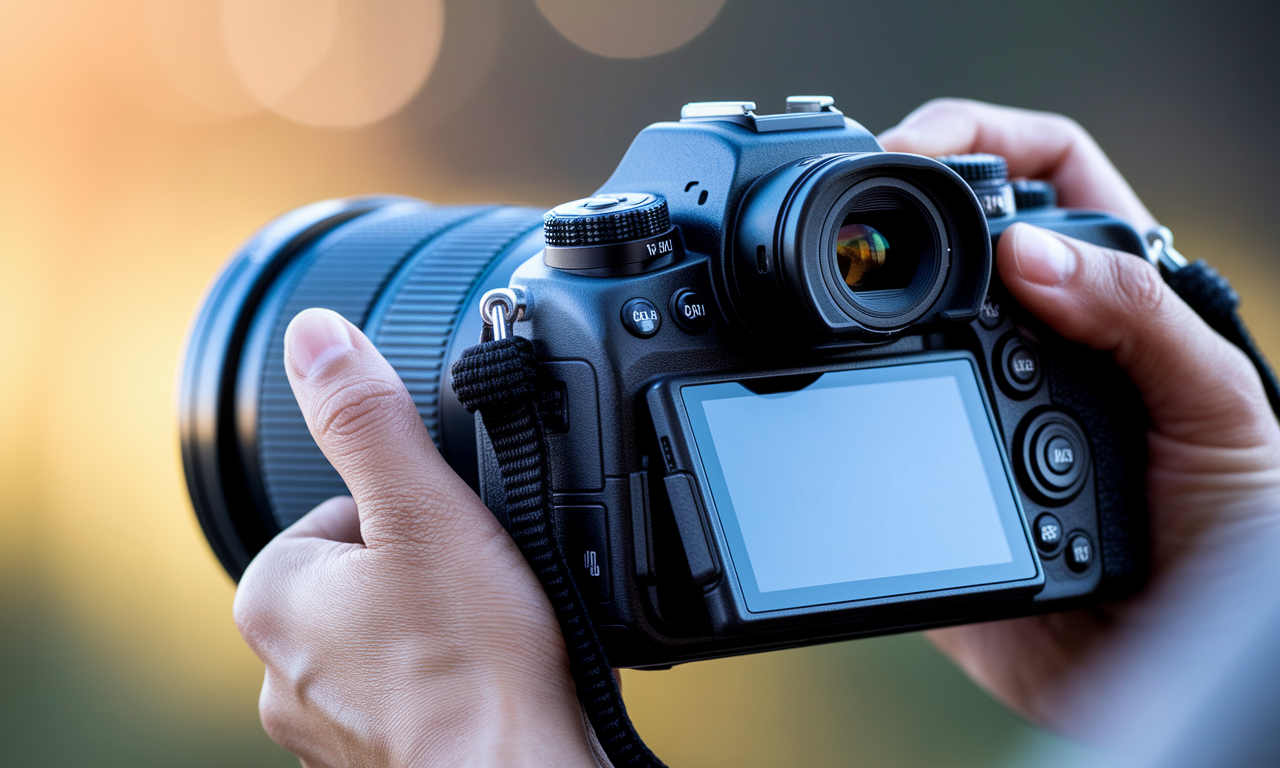
Choosing between your camera's viewfinder vs LCD screen affects every shot you take. Modern cameras offer multiple display options that serve different purposes. Understanding when to use each method will improve your composition accuracy and shooting efficiency.
Your camera's display choice impacts battery life, image quality, and shooting comfort. Different shooting scenarios require specific approaches to maximize results. This guide covers both electronic viewfinder and optical viewfinder options alongside rear LCD benefits.
Professional photographers switch between camera display options based on lighting conditions and subject matter. Learning these techniques helps you capture better images in any situation. Master these composition techniques to elevate your photography skills.
Step-by-Step Guide
Understanding Optical Viewfinders
Optical viewfinders show the actual scene through your lens using mirrors and prisms. They provide zero lag and consume no battery power during use. DSLR cameras typically feature this traditional viewing method.
These viewfinders offer natural color representation and unlimited dynamic range. Your eyes see exactly what the lens captures without digital processing. This makes them ideal for fast-moving subjects and sports photography.
However, optical viewfinders cannot preview exposure settings or white balance adjustments. You must rely on camera meters and experience for accurate settings. Some models show limited shooting information in the viewfinder display.
Electronic Viewfinder Advantages
Electronic viewfinders display a digital preview of your final image. They show exposure adjustments, white balance changes, and depth of field effects in real-time. Mirrorless cameras use this modern display technology.
You can review histogram data and focus peaking while composing shots. These features help achieve accurate exposure and sharp focus before capturing. Many electronic viewfinder systems offer customizable overlay information.
Modern electronic viewfinders provide high resolution and fast refresh rates. Top models eliminate lag and offer natural color reproduction. They work effectively in bright sunlight when LCD screens become difficult to see.
LCD Screen Benefits and Limitations
Rear LCD screens allow comfortable shooting at various angles and heights. Many models tilt or articulate for creative compositions. They provide large, detailed views of your scene and camera settings.
LCD displays work well for static subjects and tripod photography. They excel in macro photography where precise focus is critical. Touch-screen models enable quick focus point selection and menu navigation.
Bright sunlight makes LCD screens difficult to see clearly. They drain battery power faster than viewfinder-only shooting. Holding cameras at arm's length can reduce stability and increase camera shake.
Practical Applications
Portrait Photography Display Choices
Studio portraits benefit from LCD screens for precise composition and lighting checks. You can review exposure and adjust settings between shots easily. Tethered shooting often displays images on larger computer monitors.
Outdoor portraits work better with viewfinders in bright sunlight. Electronic viewfinder systems show depth of field preview accurately. This helps achieve proper background blur and subject separation.
Event photography requires fast, reliable focusing and minimal battery drain. Optical viewfinders provide instant response for capturing fleeting moments. Consider backup batteries when using electronic systems extensively.
Landscape and Nature Photography
Tripod-mounted landscape shots work well with LCD screens for fine composition adjustments. Live view mode enables precise manual focus on distant subjects. You can easily check horizon alignment and rule of thirds placement.
Wildlife photography demands fast autofocus and minimal lag time. Optical viewfinders excel for tracking moving animals and birds. Electronic viewfinder systems offer silent shooting modes for sensitive wildlife.
Macro photography requires precise focus control and composition accuracy. LCD screens allow comfortable viewing at ground level or awkward angles. Focus peaking and magnification features help achieve tack-sharp results.
Different shooting scenarios benefit from specific camera display options. Understanding these applications helps you choose the right method for each situation. Practice switching between display modes to build muscle memory and confidence.
Tips & Tricks
Maximizing Battery Life
Turn off LCD screens when not needed to extend shooting sessions. Set shorter auto-off timers for displays to save power. Carry spare batteries for electronic viewfinder cameras during long shoots.
Lower LCD brightness settings conserve battery while maintaining visibility. Disable unnecessary features like touch screens when shooting in harsh conditions. Cold weather drains batteries faster regardless of display type used.
Customizing Display Information
Set up viewfinder displays to show only essential shooting information. Remove clutter by turning off unnecessary data overlays. Set up different display modes for various shooting situations.
Use histogram displays to monitor exposure accuracy in challenging lighting. Enable grid lines for better composition and horizon alignment. Focus peaking helps achieve sharp results in manual focus situations.
Adapting to Light Conditions
Switch to viewfinders in bright sunlight when LCD screens wash out. Increase LCD brightness temporarily for outdoor shooting sessions. Use lens hoods to reduce glare on both display types.
Building Muscle Memory
Practice switching between display modes without looking at camera controls. Learn button layouts to change settings quickly during shoots. Develop habits for different shooting scenarios to improve efficiency.
Train yourself to recognize optimal display choices for various lighting conditions. Build confidence using both viewfinder vs LCD options effectively. Regular practice improves your overall shooting speed and accuracy.
Sample Scenario
Wedding Photography Challenge
Sarah faced a challenging wedding shoot with both bright outdoor ceremony and dim reception venue. She needed reliable display methods for rapidly changing conditions throughout the day.
During the outdoor ceremony, bright sunlight made her LCD screen nearly invisible. She switched to the optical viewfinder for reliable composition and focus confirmation. This approach saved battery life for the long day ahead.
The indoor reception required different tactics for low-light photography. LCD screen provided better visibility of camera settings and histogram data. She used live view for precise manual focus during quiet moments.
Results and Lessons Learned
Sarah captured sharp images throughout the entire wedding day by adapting her display choices. Her optical viewfinder shots showed better stability during handheld ceremony photos. LCD screen usage helped achieve accurate exposure during reception dancing.
She learned to prepare different camera settings for each venue beforehand. Quick display switching became second nature through practice and preparation. This experience improved her confidence for future challenging shoots.
The key was matching display choice to specific shooting scenarios rather than using one method exclusively. Understanding each option's strengths allowed her to deliver consistent professional results. Clients received sharp, well-exposed images regardless of venue conditions.
Key Do's for Effective Usage
Pre-Shoot Preparation
- Test your camera's display options before important shoots
- Practice switching between viewfinder and LCD quickly
- Charge extra batteries for electronic viewfinder systems
- Clean display screens and viewfinder glass regularly
- Set up custom display settings for different scenarios
During Shooting Best Practices
- Monitor battery levels when using electronic displays heavily
- Switch to viewfinders in bright outdoor conditions
- Use LCD screens for precise manual focus work
- Enable helpful overlays like histograms and grid lines
- Adjust display brightness based on ambient lighting
Post-Shoot Maintenance
- Review which display method worked best for each situation
- Note any issues or improvements needed for future shoots
- Clean displays and protect them during transport
- Update camera firmware for improved display performance
- Practice identified problem areas before next shoot
Common Mistakes to Avoid
Display Selection Errors
Never rely solely on LCD screens in bright sunlight without backup options. Many photographers struggle to see their displays and miss important shots. Always have alternative viewing methods ready for changing conditions.
Avoid using electronic viewfinders exclusively for fast action photography without testing lag times. Some older systems introduce noticeable delays that affect timing. Test your specific camera model's performance before critical shoots.
Don't ignore battery consumption differences between display types during long shooting sessions. Electronic displays drain power a lot faster than optical alternatives. Plan accordingly with extra batteries and power management strategies.
Composition and Focus Issues
Holding cameras at arm's length with LCD screens often causes stability problems. This position increases camera shake and reduces sharp image rates. Use proper bracing techniques or switch to viewfinder when possible.
Trusting LCD preview without checking actual camera settings leads to exposure errors. Display brightness affects how images appear on screen versus final results. Always verify histogram data and camera meter readings.
Technical Setup Problems
Leaving unnecessary display information clutters your viewfinder and distracts from composition. Remove non-essential overlays to focus on your subject and framing. Keep displays clean and minimal for better shooting concentration.
Forgetting to adjust display settings for different shooting environments wastes time during shoots. Set up custom settings beforehand for various scenarios. This preparation allows quick adaptation to changing conditions.
Troubleshooting & FAQs
Why is my LCD screen too dim outdoors?
LCD screens struggle against bright sunlight due to limited brightness output. Increase your display brightness setting temporarily for outdoor use. Consider using lens hoods or your hand to shade the screen when viewing.
Switch to your camera's viewfinder when LCD visibility becomes problematic. This provides consistent viewing regardless of ambient light conditions. Many photographers keep viewfinder caps handy for quick transitions.
How do I reduce electronic viewfinder lag?
Update your camera's firmware to the latest version for improved performance. Manufacturers often reduce lag through software updates. Disable unnecessary display overlays that might slow refresh rates.
Set your electronic viewfinder to high refresh rate mode if available. This reduces motion blur and lag during camera movement. Some cameras offer different performance modes for various shooting situations.
Which display type is best for beginners?
LCD screens help beginners learn camera settings and see immediate results. They show exposure changes and white balance adjustments in real-time. This visual feedback accelerates learning and builds confidence.
However, optical viewfinders teach proper camera handling and stability techniques. They encourage better shooting posture and reduce dependency on battery power. Both methods offer valuable learning experiences for developing photographers.
Can I damage my camera displays?
LCD screens are more vulnerable to scratches and cracks than viewfinder glass. Use screen protectors for additional protection during transport and use. Avoid touching displays directly and clean them with appropriate materials only.
Electronic viewfinder displays can burn in if left on static screens for extended periods. Set reasonable auto-off timers to prevent this issue. Optical viewfinders are generally more durable but require occasional cleaning.
Bringing It All Together
Mastering both viewfinder vs LCD options expands your creative possibilities a lot. Each display method offers unique advantages for specific shooting scenarios. Understanding these differences helps you choose the right tool for every situation.
Electronic viewfinder technology continues improving with better resolution and faster refresh rates. Modern systems rival optical viewfinders for many applications while adding helpful features. However, optical viewfinders still excel in certain demanding situations.
Your camera display choice affects composition accuracy, battery life, and shooting comfort. Practice with different methods builds confidence and improves your overall photography skills. Consider your specific needs and shooting style when making decisions.
The best photographers adapt their camera display options to match their current shooting environment. This flexibility leads to more successful images and fewer missed opportunities. Start developing these habits now to improve your photography results immediately.