
Photo Tips: Quick Ways to Take Better Photos Today

If you want simple, actionable Photo Tips that help you take better photos right now, you are in the right place. This guide focuses on practical photography tips for both smartphone and dedicated cameras, covering composition, lighting, exposure, and editing so you can improve images today. Read each section and apply a few Photo Tips per shoot to see immediate gains in quality and consistency.
📝 Step-by-Step Guide: Photo Tips For Better Shots
Plan the Shot
Every successful image begins with a clear goal. Define the story, mood, and usage for the photo before you pick up the camera. For example, decide whether the image should be editorial, product-focused, or candid. Use apps such as PhotoPills or SunSeeker to select time-of-day and angle. These Photo Tips will save time on location and increase the probability of a usable final image.
Set Exposure and Camera Mode
Understand the exposure triangle: aperture, shutter speed, and ISO. For portraits, prioritize aperture to control depth of field. For motion, control shutter speed. If you shoot with a smartphone, use Pro or Manual mode when available. In addition, shoot RAW when possible to preserve latitude for editing.
Compose with Purpose
Apply composition rules intentionally: rule of thirds, leading lines, and foreground framing. Move your feet rather than relying on digital zoom. For smartphone photography, enable gridlines and try low- and high-angle shots to vary perspective.
Control the Light
Light quality is often more important than gear. Soft light from golden hour or open shade flatters subjects. Use reflectors, diffusers, and small LED panels to shape light. Moreover, set white balance manually or shoot RAW so you can correct color in post.
Focus and Stabilize
Place your focus point on the subject’s eye in portraits. Use back-button focus if you require precision and consistent AF behavior. Always stabilize for long exposures — a tripod or improvised support will preserve sharpness.
Capture Variations and Bracket
Take multiple frames with different exposures and focal lengths. For high dynamic range scenes, bracket in 1EV or 2EV steps to merge later. As a result, you get more options in post and reduce the risk of clipped highlights.
Immediate Review and Backup
Review critical frames on the camera display and check the histogram. Zoom to 100% to confirm focus on eyes or product details. Back up files to a secondary card or cloud storage at day’s end to prevent loss.
Editing Workflow
Import RAW files into Lightroom, Capture One, or a mobile equivalent. Start with global adjustments—exposure, contrast, white balance—then apply local edits for dodging and burning. Use subtle sharpening and noise reduction. Finally, export using appropriate color space and resolution for your platform.
📌 Practical Applications: Photo Tips For Everyday Photography
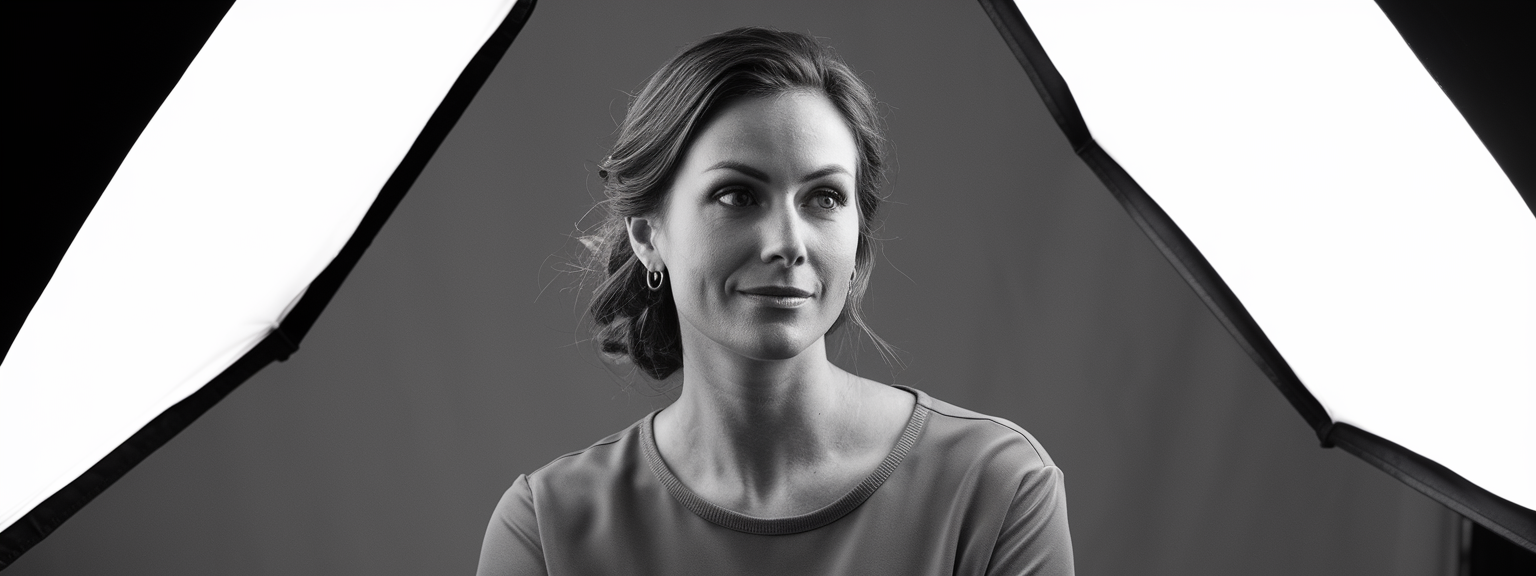
Portraits & Headshots
- Lens choice: 50–85mm equivalent; aperture f/1.8–f/4 depending on background separation.
- Light: use soft side or backlight with a reflector for fill.
- Composition: place eyes on the top third and maintain catchlights.
Landscape & Travel
- Use wide-angle lenses and f/8–f/16 to keep detail across the frame.
- Use a tripod for long exposures and include a strong foreground element for depth.
- For smartphones, use panorama mode or multi-frame HDR to expand dynamic range.
Street Photography
- Use a discreet camera or smartphone and previsualize likely interactions.
- Zone focus and a higher shutter speed (1/250+) help capture decisive moments.
- Respect subjects and local laws; ask for consent when appropriate.
Product & E-commerce
- Use consistent, soft lighting and neutral backgrounds to show accurate color.
- Shoot tethered if possible for immediate review and color checks.
- Use calibration targets and remove distractions during post-processing.
Applying specific techniques for each genre makes your output more reliable. For portraits, practice a single lighting setup repeatedly. For landscapes, learn to use graduated neutral density filters or bracket for HDR. For product work, standardize lighting and camera distance so product images match across a catalog. These Photo Tips reduce guesswork and increase consistency.
💡 Tips & Tricks: Photo Tips To Improve Your Shots
- Use the grid to apply the rule of thirds and stabilize composition quickly.
- Golden hour delivers soft, warm light; therefore plan outdoor portraits and landscapes around it.
- When backlit, use a reflector or low-power fill flash to recover detail in faces.
- Shoot RAW to preserve highlights and shadows for better editing flexibility.
- Clean your lenses regularly; a microfiber cloth and blower are inexpensive but effective.
- Use the histogram, not just the image preview, to judge exposure and prevent clipping.
- Avoid digital zoom; instead move closer or crop from a high-resolution file to preserve detail.
- Use burst mode for action to increase your chance of capturing peak expression or motion.
- Use complementary colors (blue/orange) to create pleasing contrast in portraits and landscapes.
📸 Sample Scenario
Smartphone Golden Hour Portrait — 30-Minute Plan
Objective: Produce a soft, flattering portrait with natural background blur using only a smartphone and a small reflector. Follow this checklist for reliable results.
Step-by-Step
- Schedule 30 minutes before sunset and find open shade with backlit trees.
- Enable Pro/RAW mode, set ISO low, shutter ~1/200 for handheld, and set WB to cloudy or correct in RAW.
- Position subject with sun behind them and use the reflector at 45° to bounce warm light onto the face.
- Focus on the nearest eye and take multiple frames: wide, medium, and tight headshot.
- Review images, check histogram, and confirm eye sharpness at 100% on the phone screen.
- Edit in Lightroom Mobile: reduce highlights, raise shadows slightly, add contrast, and sharpen selectively around the eyes.
✅ Key Do’s for Effective Usage
- Do plan each shoot: set a clear objective and a short shot list.
- Do shoot RAW when possible for maximum editing flexibility.
- Do focus on subject eyes for portraits and verify at 100% zoom.
- Do control light with reflectors and diffusers; they are inexpensive and effective.
- Do use the histogram and exposure compensation to protect highlights and shadow detail.
- Do back up images immediately after shooting to avoid data loss.
❌ Common Mistakes to Avoid
Relying on Auto Mode
Auto mode can be convenient, but it limits creative control. Instead, start with Aperture Priority to learn how aperture affects depth of field. As you gain confidence, move to Manual for full control.
Blown Highlights
Highlights are often unrecoverable if clipped. Use the histogram and expose to the right (ETTR) without clipping. In high-contrast scenes, bracket exposures or use fill flash.
Overediting and Oversaturation
Excessive saturation, sharpening, or HDR effects undermine realism. Therefore edit with restraint and compare exports at target size to validate visual impact.
🔄 Troubleshooting & FAQs
My photos look flat — what should I change?
Add directional light or use a reflector for fill. In addition, introduce foreground elements and increase local contrast using dodge and burn to shape light and add depth.
How do I fix blurry photos?
Check shutter speed and use the reciprocal rule (1/focal length) as a baseline. Also use single-point autofocus on the subject and stabilize with a tripod. For motion blur, increase shutter speed or use panning technique.
Why are my photos noisy in low light?
Noise results from high ISO. Use a wider aperture, slower shutter with stabilization, or add controlled lighting. If noise persists, use targeted noise reduction in post but balance with detail retention.
What are the best AI tools for productivity in photography?
AI tools accelerate repetitive tasks. Adobe Lightroom offers AI masking and Enhance Details. Luminar Neo provides AI sky replacement and relighting. Topaz Labs excels at AI denoise and sharpening. For general productivity, consider Notion AI, ChatGPT, and Grammarly for planning and captioning.
Which camera settings work best for portraits?
Use a wide aperture (f/1.8–f/4), focus on the eyes, and keep shutter speed above 1/125 for handheld portraits. Maintain ISO as low as light allows to reduce noise and retain skin detail.
🖼️ Bringing It All Together
Consistency results from a repeatable workflow and deliberate practice. Use a short checklist: plan, set up, shoot multiple variations, review, back up, and edit with a reliable preset system. Over time, these Photo Tips will move from conscious steps to automatic habits.
Final practice tips: focus on one element per session, keep a shoot log with settings and outcomes, and review images critically after 24 hours. Teach or explain techniques to others to solidify your knowledge. Above all, remain curious and deliberate—these Photo Tips will compound into clear improvements over time.
![[Photographer capturing sunrise landscape during a travel photography trip with a mirrorless camera]](https://lenslesson.com/wp-content/uploads/2025/12/travel-photography-sunrise-shot-essentials.png "[Travel photography sunrise capture]")
![[Photographer capturing a candid moment on a busy city sidewalk — street photography scene]](https://lenslesson.com/wp-content/uploads/2025/12/street-photography-candid-urban-moment.png "[Urban Street Photography Moment]")
![[Sunrise over a mountain valley with wildflowers in the foreground — landscape photography showing golden-hour light and wide-angle composition.]](https://lenslesson.com/wp-content/uploads/2025/12/landscape-photography-breathtaking-sunrise-scene.png "[Breathtaking Landscape Photography Sunrise]")