
10 Proven Ways to Level Up Your Skills Fast — Practical Guide to Level Up Your Skills
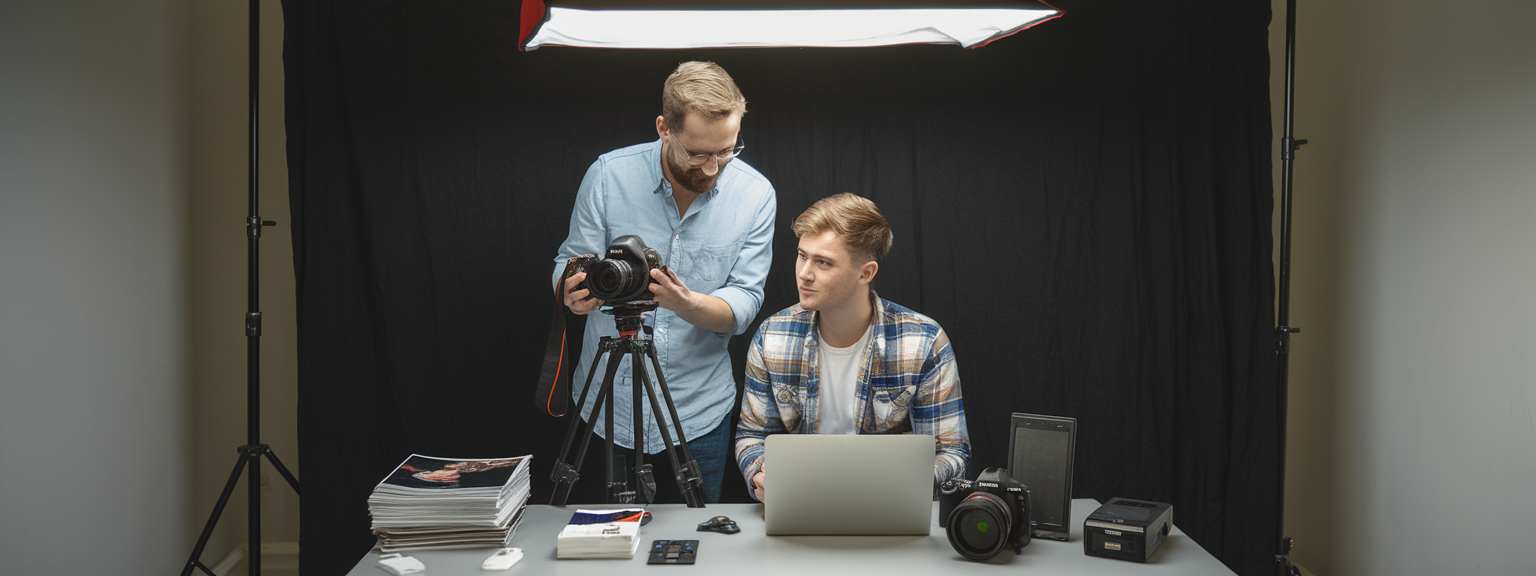
This guide shows how to level up your skills quickly and sustainably. It focuses on photography techniques and transferable learning strategies that help you improve your skills, accelerate skill development, and support upskilling for career growth. Therefore, whether you are refining composition, mastering exposure, or building efficient workflows, these ten proven methods will give you a step-by-step plan to see measurable results.
📝 Step-by-Step Guide: Level Up Your Skills
Why structured practice matters
Deliberate, focused practice accelerates progress because you target micro-skills and receive fast feedback. In photography and other fields, you should define clear outcomes and measure progress. For example, set a goal to have 90% tack-sharp portraits in your next session. This specificity helps you plan drills, track metrics, and iterate effectively.
1. Define clear, measurable goals (and deadlines)
Start with precise targets. A well-defined goal is quantifiable and time-bound. For instance, “produce 12 publish-ready images in 6 weeks” or “achieve consistent eye-focus on 90% of portrait selects.” Set weekly micro-goals, log time spent, and measure hit rates. When you aim to level up your skills, short deadlines create momentum and reduce procrastination.
2. Break skills into micro-skills (deliberate practice)
Decompose large tasks into repeatable drills. For photography, separate composition, focusing, exposure, lighting control, posing, and post-processing. Execute single-skill sessions. For example, do a focusing drill with 100 single-subject frames using single-point AF. Deliberate practice requires pushing slightly beyond your comfort zone to create adaptation and growth.
3. Use short, intense practice blocks (Pomodoro + shooting sessions)
Short blocks of concentrated effort increase retention and reduce fatigue. Try 25–50 minute shooting sessions followed by a focused review. For editing, use 10–15 minute warm-ups then 30-minute batch edits. These habits help you level up your skills faster because you maximize attention and minimize decision fatigue.
4. Learn from masterworks — analyze & mimic
Reverse-engineer images you admire. Recreate lighting, composition, and color treatments. Annotate what works and what to avoid. This method accelerates perception and technical understanding. Moreover, mimicking masterworks is a practical shortcut for developing visual language and editing precision.
5. Get fast, honest feedback loops
Feedback corrects errors early and points you to high-leverage improvements. Assemble a critique group, find a mentor, or join focused online communities. Use the “What works / What doesn’t / One fix” format. As a result, you close the gap between current performance and desired outcomes much faster.
6. Use constraints & challenges to boost creativity
Constraints force problem-solving. Limit yourself to one lens, a single light source, or a monochrome week. For example, a 50mm-only challenge sharpens composition skills and helps you level up your skills in framing and subject distance control.
7. Build efficient workflows (shooting → culling → editing)
Repeatable pipelines save time and increase capacity to practice. Create a pipeline: backup → cull → base edit → finish → export. Use presets, keyboard shortcuts, and templates. Efficient workflows allow you to practice more, therefore increasing exposure to varied situations and faster skill development.
8. Teach what you learn
Explaining techniques to others reveals knowledge gaps and consolidates learning. Teach a mini-class, create a tutorial, or lead a peer session. Teaching forces clarity, which in turn helps you level up your skills more rapidly.
9. Integrate tools & AI for productivity and learning
Use AI to reduce repetitive tasks and highlight patterns. Use Lightroom Sensei for masking, Topaz for denoising, and LLMs for captioning. AI should be an assistant, not a crutch. Use it to increase throughput, so you can focus on deliberate skill development and creative decisions.
10. Track progress, reflect, and iterate (continuous improvement)
Keep a practice journal with goals, actions, and outcomes. Archive before-and-after images. Conduct monthly reviews and set new targets. Continuous reflection ensures that incremental improvements compound over time.
📌 Practical Applications: Level Up Your Skills
Portrait photography
Micro-skills: posing, eye focus, depth-of-field control, and communication. Do a 10-pose challenge to rehearse direction and timing. Use tethered shooting for immediate feedback. These practices help you level up your skills in delivering consistent client-ready results.
Landscape photography
Micro-skills: exposure blending, timing, and composition. For example, shoot the same scene across different light conditions and practice bracketed exposures. In addition, practice focus stacking and filter techniques so you improve your technical control and creative options.
Street photography
Micro-skills include anticipation, zone focusing, and quick composition. Try 45-minute theme missions to refine vision and timing. Doing short, repeated missions helps you level up your skills in readability and decisiveness.
Product & commercial photography
Focus on lighting setups, color accuracy, and retouching workflows. Recreate tabletop diagrams, and practice frequency separation. Efficient retouch templates speed delivery and support business growth through consistent quality.
What specific skill do you want to level up this month — posing, exposure, or client workflow?
Career growth & upskilling
Apply the same deliberate-practice framework to business skills: client communication, pricing, contract drafting, and marketing. Set KPIs, block daily learning time, and track outcomes. This integrated approach ensures professional progress along with creative improvement.
💡 Tips & Tricks: Level Up Your Skills
Efficiency and consistency tips
- Micro-assignments outperform marathon sessions; short, repeated practice builds retention.
- Use a single “practice lens” to force creative solutions and technical mastery.
- Build a base preset and refine instead of starting from scratch each time.
- Maintain a failure folder and annotate each image with why it failed; this accelerates learning.
- Analyze EXIF patterns to learn what settings produce reliable results in different conditions.
Start today: pick one micro-skill and schedule five focused 45-minute sessions this week.
Editing and AI workflow suggestions
- Time-box editing tasks and use batch presets to increase throughput.
- Use AI-assisted culling as a second opinion; always verify manually to refine criteria.
- Calibrate your monitor monthly and use color-checkers for client work to maintain color accuracy.
- Automate admin tasks (metadata, exports) so you can focus on deliberate, creative work.
- Optimize image alt text for discoverability; include phrases like “level up your skills” or “improve your skills” where relevant.
📸 Sample Scenario
6-week portrait improvement plan
This sample plan is a practical application to level up your skills in portrait photography over six weeks. You will alternate technical drills, lighting practice, posing, editing, and a client simulation. Each week has a focused objective and measurable deliverables that build on the previous week.
Week 0 — Baseline & planning
- Shoot 30 baseline portraits and rate them 1–5.
- Note recurring issues and set weekly micro-goals.
- Schedule practice sessions and critique meetings.
Weeks 1–5 — Focused development
- Week 1: Focusing and exposure drills. Deliverable: 20 selects with sharp eyes.
- Week 2: Single modifier lighting practice and golden-hour timing. Deliverable: 12 edited images.
- Week 3: Posing and communication drills. Deliverable: 15 natural-expression images.
- Week 4: Styling, composition, and aspect-ratio crops. Deliverable: 15 curated images.
- Week 5: Batch editing and retouching templates. Deliverable: 20 client-ready edits.
Week 6 — Client simulation & review
Run a full client simulation from inquiry to delivery. Deliver a 30-image gallery with a cover of five star images. Then compare results to Week 0 baseline and calculate improvement metrics such as percent of client-ready images and consistency in focus. This reflection helps you plan the next six-week cycle.
✅ Key Do’s for Effective Usage
Core practices to sustain progress
- Do set measurable goals with deadlines.
- Do break complex skills into daily micro-drills.
- Do use constraints to force creative solutions.
- Do seek timely, structured feedback and implement one change per week.
- Do document progress with a practice journal and before/after images.
- Do teach or explain concepts to cement understanding.
- Do back up your work immediately and maintain an archive for analysis.
- Do schedule rest; recovery consolidates learning and prevents burnout.
❌ Common Mistakes to Avoid
Pitfalls that slow growth
- Practicing without focus — fix: use micro-skills and track metrics.
- Relying on gear to solve technique problems — fix: improve fundamentals first.
- Ignoring feedback — fix: implement one change per session based on critique.
- Editing too early — fix: separate shooting and editing sessions to avoid bias.
- Trying to learn everything at once — fix: prioritize based on your goals.
- Comparing process to finished masters — fix: compare process stages and study progress.
🔄 Troubleshooting & FAQs
Common problems and quick checks
Problem: Images are soft or out of focus. Check shutter speed relative to focal length, AF mode, and whether back-button focus can help. Practice the Week 1 focusing drills and consider lens calibration. Problem: Inconsistent color grading across a series. Check white balance consistency and monitor calibration. Use a base preset and a color checker for critical work.
Frequently asked, voice-search-friendly questions
Q: How long does it take to level up your skills? A: With deliberate practice of 30–60 minutes daily many see measurable improvements in 6–12 weeks. Q: Can I improve my skills without buying new gear? A: Yes. Focus on composition, lighting, and workflow. Q: What are the best AI tools for productivity? A: Lightroom Sensei, Topaz Labs, Luminar Neo, Adobe Firefly, plus organizational tools like Notion and Otter.ai for transcription. Use AI to automate mundane tasks so you can practice more.
🖼️ Bringing It All Together
Final synthesis and next steps
Leveling up your skills is a structured, repeatable process. Specific goals, focused micro-practice, fast feedback, and efficient workflows compound into measurable improvement. Use constraints to force creativity and integrate AI tools to increase productive practice time. In addition, teach and review regularly to cement progress.
Ready to accelerate your growth? Join a 6-week mentorship or start a 30-day focused practice plan tailored to your genre.
Core takeaways: be specific, practice deliberately, solicit feedback, and protect time for both practice and rest. Track results numerically and visually so you can see how you level up your skills over weeks and months. Finally, integrate business skill development alongside creative practice if your goal is career growth.
If you want a custom 6-week plan for portraits, weddings, landscapes, or product work, tell me your current strengths, weaknesses, and weekly time commitment — I will build a tailored roadmap to help you improve your skills efficiently and sustainably.



![[Person adjusting DSLR settings while learning — Beginner Camera Guide]](https://lenslesson.com/wp-content/uploads/2026/01/beginner-camera-guide-setup-dslr.png "[Beginner Camera Guide Setup]")
![[Photographer editing on a laptop to create Stunning Images with vivid lighting and precise composition]](https://lenslesson.com/wp-content/uploads/2026/01/create-stunning-images-advanced-techniques.png "[Stunning Images Editing Example]")
![[Creative entrepreneur brainstorming products on a laptop and notebook — turning passion into profit]](https://lenslesson.com/wp-content/uploads/2025/12/turning-passion-into-profit-guide-1.png "[Turning Passion Into Profit Strategy]")