
Camera For Beginners: How to Get Started and Take Better Photos
Intro (first 100 words)
If you’re searching for “Camera For Beginners,” you’re in the right place. This comprehensive guide walks you through how to use a camera, camera basics, and beginner photography tips that will help you take consistently better photos from your very first shoot. We’ll cover the exposure triangle — aperture, shutter speed, ISO settings — composition tips, essential gear, practical scenarios, troubleshooting, and actionable step-by-step workflows so you can learn quickly and confidently.
Why This Guide Matters
Photography is a blend of technical understanding and creative vision. Many beginners are overwhelmed by camera menus, mixed-up settings, and conflicting advice. This post gives you a structured path: learn the fundamentals, practice with clear steps, avoid common pitfalls, and build skills that scale. Whether you have a smartphone, a compact camera, a mirrorless body, or a DSLR, these principles apply.
Who This Guide Is For
– Absolute beginners who just bought their first camera.
– Hobbyists wanting to move from auto mode to manual control.
– Enthusiasts who want structured practice and advanced tips (bracketing, histograms, RAW editing).
– Photographers aiming to improve composition, lighting, and storytelling.
What You’ll Learn
– How to use a camera from setup to final edit.
– Camera basics: modes, metering, autofocus, lenses.
– Beginner photography tips and exposure triangle deep-dive.
– Composition tips and lighting strategies.
– Troubleshooting for common problems and a practical scenario walkthrough.
– Tools, workflow, and resources to grow.
📝 Step-by-Step Guide
This step-by-step guide is designed to move you from zero to confident shooter. Follow the sequence and practice deliberately.
Step 1 — Know Your Camera
– Read the quick start section of the manual and find these controls:
– Mode dial (Auto, P/Program, A/Av/Aperture priority, S/Tv/Shutter priority, M/Manual)
– Shutter release, on/off, menus
– ISO button/menu
– Exposure compensation (+/-)
– Drive mode (single shot, continuous, timer)
– Focus mode (AF-S/One Shot, AF-C/AI Servo, Manual)
– Metering options (Matrix/evaluative, center-weighted, spot)
– Playback & delete buttons
– Practice turning the camera on/off, entering live view, and reviewing images.
Step 2 — Understand the Exposure Triangle
The exposure triangle is foundational: aperture, shutter speed, and ISO settings. Balance these to get correct exposure and creative effects.
– Aperture (f-stop)
– Controls depth of field: low f-number (f/1.8) = shallow background blur; high f-number (f/16) = more in focus.
– Affects light: wide aperture allows more light in.
– Shutter speed
– Controls motion freeze or blur. Fast (1/1000s) freezes action; slow (1/10s) blurs motion.
– Affects light: faster speed reduces exposure, slower increases it.
– ISO settings
– Controls sensor sensitivity. Low ISO (100) = cleaner image, less noise; high ISO (3200+) = more noise.
– Use ISO to maintain correct exposure when aperture and shutter are constrained.
Practice exercise: Put the camera in Aperture Priority (A/Av) mode and shoot the same subject at f/2.8, f/5.6, f/11 — observe depth of field change. Then switch to Shutter Priority (S/Tv) and try 1/2000s vs 1/30s to see motion effects.
Step 3 — Start with Priority Modes
– Aperture Priority (A/Av): Great for portraits and controlling depth of field.
– Shutter Priority (S/Tv): Best for action or motion blur control.
– Program Mode (P): Camera picks aperture and shutter but you can tweak ISO and exposure compensation.
– Manual Mode (M): Use when you want full control. Start here after practicing with priority modes.
Step 4 — Set Basic Camera Settings
– Image format: RAW (recommended) for maximum editing flexibility; JPEG for quick sharing.
– White balance: Auto is fine to start. Learn presets (Daylight, Shade, Tungsten) and custom Kelvin for precise control.
– Autofocus: Use single-point AF for static subjects, continuous AF for moving subjects.
– Drive mode: Single shot for composed portraits; continuous for action.
– Stabilization: Use lens/body stabilization when handholding at slower shutter speeds; consider the 1/focal-length rule for sharpness (e.g., 1/50s for a 50mm lens).
Step 5 — Learn Composition Basics
– Rule of thirds: Place the subject along gridlines.
– Leading lines: Use paths, fences, or light to guide the eye.
– Framing: Use doorways or branches to frame the subject.
– Fill the frame: Get closer to eliminate distracting background.
– Negative space: Use empty space intentionally for mood.
– Symmetry and patterns: Use for dramatic, clean compositions.
Practice challenge: Shoot 10 photos focusing on each composition principle. Review which images feel stronger and why.
Step 6 — Master Focus and Metering
– Metering: Use evaluative/matrix for general scenes; spot metering for tricky lighting (backlit subjects).
– Focus: Use focus-and-recompose sparingly — instead, place the single AF point over the subject.
– Back-button focus: Separates focusing from shutter release—recommended for dynamic situations.
Step 7 — Learn Lighting Essentials
– Natural light: Golden hour (sunrise/sunset) offers soft, warm light.
– Direction: Front light flatters faces; side light reveals texture; backlight creates rim light and silhouettes.
– Reflectors: Cheap white foam board or silver reflectors bounce light to fill shadows.
– Flash: On-camera pop-up is a starter; off-camera flash and modifiers create professional results.
Step 8 — Post-processing Workflow
– Import RAW files into Lightroom, Capture One, or other RAW processors.
– Basic adjustments: exposure, contrast, white balance, highlights/shadows, clarity.
– Sharpening and noise reduction: Apply carefully; avoid over-sharpening.
– Export settings: sRGB color space for web, 72–300 ppi depending on use.
Step 9 — Practice, Review, Repeat
– Deliberate practice: Focus on one skill per shoot (depth of field, motion, low light).
– Keep a portfolio: Track progress. Revisit earlier photos to see improvements.
📌 Practical Applications
This section shows how camera basics apply to real-world photography genres.
Portrait Photography
– Objective: Isolate subject with pleasing background blur.
– Recommended settings:
– Mode: Aperture Priority
– Aperture: f/1.8–f/4 for shallow depth
– Shutter speed: at least 1/125s (faster for moving subjects)
– ISO: lowest possible while maintaining exposure
– Focus: Single-point AF on the nearest eye
– Tips: Use a 50mm–85mm lens. Position subject away from busy backgrounds. Use a reflector to fill shadows and catchlights.
Example scenario: Outdoor portrait at golden hour — set f/2.8, ISO 200, shutter speed auto-selected ~1/500s. Use backlight to create rim light and fill with reflector.
Landscape Photography
– Objective: Maximize depth of field and sharpness.
– Recommended settings:
– Mode: Aperture Priority or Manual
– Aperture: f/8–f/16 for depth (watch diffraction on small sensors)
– Shutter speed: variable (often slow; use tripod)
– ISO: 100–200
– Focus: Manual or autofocus to hyperfocal distance
– Tips: Use tripod, remote shutter release, and mirror lock-up (DSLR) or electronic front curtain on mirrorless. Use graduated ND filters for balanced sky exposure.
Action and Sports
– Objective: Freeze motion or intentionally blur for speed.
– Recommended settings:
– Mode: Shutter Priority or Manual
– Shutter speed: 1/500s–1/2000s to freeze; 1/30s for panning motion blur
– Aperture: wide to maintain exposure; adjust for depth
– ISO: Increase as needed (400–3200)
– Focus: Continuous AF, use central cluster AF points
– Tips: Anticipate movement, use burst mode, and practice panning.
Low-Light & Night Photography
– Objective: Capture scenes with limited light without excessive noise.
– Recommended settings:
– Mode: Manual or Aperture Priority for consistency
– Aperture: as wide as lens allows
– Shutter speed: slow (use tripod) or faster with high ISO and stabilization
– ISO: 800–6400 depending on camera performance
– Tips: Use bulb mode for very long exposures, shoot RAW, and bracket exposures to expand dynamic range.
Macro Photography
– Objective: Capture small subjects with great detail.
– Recommended settings:
– Mode: Aperture Priority or Manual
– Aperture: f/8–f/16 to increase depth of field
– Shutter speed: fast enough to avoid motion blur (consider tripod)
– ISO: Keep low, but increase if needed for adequate shutter speed
– Tips: Use macro lens, extension tubes, or close-up filters. Mind shallow depth of field — focus stacking may be necessary.
💡 Tips & Tricks
Here are advanced and practical beginner-friendly tips that make a real difference.
– Use RAW, not JPEG: RAW preserves dynamic range and white balance flexibility.
– Learn the histogram: Use it to evaluate exposure. Avoid clipping highlights (right edge) and shadows (left edge).
– Exposure compensation: Use it in Program, Aperture, or Shutter Priority to correct camera bias (e.g., +1 for snowy scenes).
– Bracketing: Shoot multiple exposures to blend for HDR or ensure correct exposure.
– Back-button focus: Lock focus with one button and fire with another to improve focus control.
– Keep a cheat-sheet: List common settings for different scenarios (portraits, landscapes, action).
– Use a prime lens: 35mm or 50mm primes are affordable, sharp, and force you to think about composition.
– Clean your lens and sensor: Dust and smudges degrade image quality. Use proper tools.
– Dial in white balance with a gray card for consistent color.
– Use a polarizing filter for deeper skies and reduced reflections.
– Practice handholding technique: Tuck elbows, exhale gently, press shutter at the end of your breath.
– Incremental learning: Focus on mastering one setting at a time (aperture one week, shutter speed next).
Advanced Tips:
– Learn focus stacking and exposure blending in post for macro and high-contrast scenes.
– Use focus peaking and magnified live view for precise manual focus on mirrorless cameras.
– Use tethered shooting for studio control and immediate review.
– Understand lens characteristics: focal length, distortion, chromatic aberration, and bokeh quality.
📸 Sample Scenario
A detailed real-world walk-through to apply everything you’ve learned.
Scenario: Outdoor family portrait session at dusk in a park.
Goal: Capture warm, well-exposed, sharp group photos with pleasing background separation.
Pre-shoot checklist:
– Camera body and charged batteries (carry spares)
– 50mm or 85mm prime lens and a 24–70mm zoom for variety
– Reflector (white/gold)
– Tripod (optional)
– Flash/TTL or off-camera flash if light falls quickly
– Lens cleaning cloth
Step-by-step setup:
1. Arrive 30 minutes before golden hour ends — the light is soft and warm.
2. Camera settings (starting point):
– Mode: Aperture Priority (A)
– Aperture: f/4 (for moderate background blur while keeping group in focus)
– ISO: 200 (or auto-ISO with a ceiling of 1600)
– Exposure compensation: +0.3 to +0.7 if camera underexposes faces in backlight
– White balance: Cloudy or custom Kelvin ~6000K for warmth
– Focus: Single-point AF on the nearest adult’s eye
3. Positioning:
– Place family facing slightly away from the sun for soft rim light.
– Have the family arranged in a staggered line to maintain depth without flattening.
– Use a reflector below to fill shadows under eyes.
4. Shooting:
– Start with single shots to compose and check exposure.
– Switch to continuous burst for candid moments and smiles.
– Vary composition: full-length, half-length, close-ups, and group candid interactions.
5. Check results:
– Review histogram to ensure no major highlight clipping on faces.
– Zoom in to 100% on camera to check focus on eyes.
6. Adjustments:
– If shutter speed drops below 1/125s (risk of blur), increase ISO or widen aperture.
– If backgrounds are too busy, move the group closer to the lens or change angle for simpler backgrounds.
7. Backup:
– After the shoot, import RAW files to two storage locations (local and cloud).
Example final settings captured for a portrait during dusk:
– 85mm lens, f/3.5, 1/250s, ISO 400, exposure compensation +0.7, single-point AF on eye.
Why these settings worked:
– Aperture gave separation between subjects and background.
– Shutter speed ensured sharpness for group movement.
– ISO supported exposure without too much noise.
– Reflector and slight positive exposure compensation ensured faces were bright and pleasing.
Post-processing workflow:
– Import RAW to Lightroom.
– Correct exposure if needed, recover highlights, bring up shadows slightly.
– Apply subtle clarity and remove blemishes.
– Add a gentle warm split-toning to enhance golden hour feel.
– Crop and straighten as needed.
– Export as high-quality JPEGs for sharing and keep RAW for archiving.
✅ Key Do’s for Effective Usage
– Do shoot in RAW for flexibility.
– Do practice with aperture, shutter speed, and ISO independently.
– Do learn to read the histogram — it tells the truth your screen may hide.
– Do use a tripod when necessary — it enables long exposures, panoramas, and stacking.
– Do clean and protect equipment; use lens caps and camera bags.
– Do bracket exposures in high-contrast scenes.
– Do back up images immediately — redundancy prevents loss.
– Do study composition and analyze photos from photographers you admire.
– Do practice regularly, and review your mistakes openly.
– Do experiment — the fastest way to learn is to try and iterate.
❌ Common Mistakes to Avoid
– Relying on Auto mode forever: Auto is useful, but it prevents learning how exposure and composition work.
– Overusing high ISO: Leads to noisy images. Increase ISO only when necessary.
– Shooting only in JPEG: You lose editing latitude and color depth.
– Ignoring the histogram: Screens lie; histogram confirms exposure.
– Forgetting to check focus: Out-of-focus images cannot be fixed in post.
– Using the wrong focus point: Relying on center and recomposing adds errors—use focus points intentionally.
– Cluttered backgrounds: They distract from your subject; change angle or aperture to reduce clutter.
– Not backing up photos: Hard drive failure is common; use cloud or multiple drives.
– Shooting without intent: Random shooting rarely leads to improvement; set a goal for each session.
– Neglecting ergonomics: Poor stance or grip causes camera shake.
🔄 Troubleshooting & FAQs
This large section addresses technical problems and common questions. It also includes voice-search friendly Q&A, including a non-photography question requested for SEO and voice search optimization.
Troubleshooting — Blurry Photos
Possible causes:
– Camera shake: Use faster shutter speed, stabilization, tripod.
– Out of focus: Check AF mode and focus point; use back-button focus and check autofocus microadjustment.
– Subject motion: Increase shutter speed, use continuous AF and burst mode.
– Dirty lens: Clean front element and rear element.
How to fix:
– Increase shutter speed (rule of thumb: 1/focal-length).
– Switch to single-point AF and place the point on the subject.
– Use a tripod and remote shutter or self-timer for long exposures.
Troubleshooting — Underexposed or Overexposed Images
– Use exposure compensation in priority modes or adjust settings manually.
– Check metering mode: spot meter may cause under/overexposure if point is bright/dark.
– Shoot RAW so you can recover some exposure in post-processing.
Troubleshooting — Noisy High-ISO Photos
– Lower ISO if possible and open aperture or slow shutter (use tripod).
– Apply noise reduction in post (Lightroom/Camera RAW).
– Use modern cameras with better high-ISO performance or switch to faster lenses.
Troubleshooting — Color Casts / Incorrect White Balance
– Set white balance to a preset or custom Kelvin.
– Use a gray card for neutral reference.
– Correct color in RAW processing using white balance sliders or eyedropper tool.
Troubleshooting — Camera Won’t Focus
– Clean the lens contacts and check lens mount.
– Confirm AF mode is appropriate (AF-C for moving subjects).
– Try manual focus to see if lens is functioning mechanically.
– Reset camera settings to default if misconfiguration suspected.
Frequently Asked Questions (FAQs)
Q: What camera mode should beginners use?
A: Start with Aperture Priority to control depth of field, or Program/P mode to learn exposure compensation. Move to Manual once comfortable balancing aperture, shutter speed, and ISO settings.
Q: What are the essential camera basics I should learn first?
A: Learn the exposure triangle (aperture, shutter speed, ISO settings), focus modes, metering, white balance, and basic composition tips. These fundamentals make most photographic decisions easier.
Q: How do I use a camera for portrait vs landscape?
A: For portraits, favor wide apertures (f/1.8–f/4), single-point AF on the eye, and focal lengths around 50–85mm. For landscapes, use smaller apertures (f/8–f/16), low ISO, tripod, and wide-angle lenses.
Q: Should I buy a DSLR or mirrorless camera as a beginner?
A: Mirrorless cameras are increasingly recommended for beginners due to compact size, live-view electronic exposure preview, and focus aids. DSLRs remain excellent with a wide lens ecosystem. Choose based on budget, lens availability, ergonomics, and future needs.
Q: How important is lens choice for beginners?
A: Very important. A sharp prime (50mm or 35mm) teaches composition and produces excellent image quality. Zooms add flexibility for travel, but prime lenses often give better low-light capability and sharper images.
Q: What are the best AI tools for productivity?
A: While not photography-specific, AI tools can speed editing and workflow. For photographers:
– Luminar AI / Luminar Neo — AI-assisted sky replacement, portrait enhancement.
– Topaz Labs (Denoise AI, Sharpen AI) — Exceptional noise reduction and sharpening.
– Adobe Sensei (in Lightroom/Photoshop) — Automated masking and subject selection.
– AI tools for general productivity: Notion AI, ChatGPT, and Otter.ai for notes and organization.
These tools can automate repetitive tasks, speed up culling, and enhance creative adjustments, improving overall productivity.
Q: What is the exposure triangle and why is it important?
A: The exposure triangle links aperture (depth of field), shutter speed (motion), and ISO (sensor sensitivity). Understanding how each affects exposure and image quality allows you to make creative and technical choices that produce the result you want.
Q: How to fix white balance issues in post?
A: If you shoot RAW, adjust white balance sliders using a neutral point or use the eyedropper over a gray card. For JPEGs, more limited but still possible via temperature/tint adjustments.
Q: Do I need to learn photo editing software?
A: Yes—basic editing (exposure, contrast, color correction) is essential for bringing out the best in your images. Start with Lightroom or free tools like Darktable; progress to Photoshop for advanced retouching.
Q: How can I improve composition right away?
A: Use the rule of thirds, look for leading lines, remove distracting elements, and move your feet—changing your angle often fixes many composition problems.
Voice-search friendly: “What are the best AI tools for productivity?”
Answer: For photographers, the best AI tools for productivity include Luminar AI for automated enhancements, Topaz Labs for noise reduction and sharpening, and Adobe Sensei features in Lightroom/Photoshop for masking and selection. For general productivity use Notion AI, ChatGPT for drafting captions and scripts, and Otter.ai for transcribing interviews. These tools reduce repetitive work, speed editing, and help you focus on creative decisions.
🖼️ Bringing It All Together
This final section synthesizes lessons, offers a path forward, and suggests resources for continued learning.
Practice Plan for the Next 30 Days
Week 1 – Exposure Triangle & Priority Modes
– Day 1–2: Aperture Priority practice — test depth of field with the same subject at different f-stops.
– Day 3–4: Shutter Priority practice — freeze and blur motion intentionally.
– Day 5–7: Manual practice — match exposures from earlier tests in manual mode.
Week 2 – Composition & Light
– Daily: Shoot 10 photos focusing on one composition rule (rule of thirds, leading lines, framing).
– Golden hour session: practice backlighting and reflector usage.
Week 3 – Genres & Gear
– Day 1: Portrait session with a friend; practice eye focus and posing.
– Day 2: Landscape shoot with tripod; bracket exposures and create an HDR blend.
– Day 3: Action photography at a local sports event or playground.
– Day 4: Macro close-up of flowers or household objects.
Week 4 – Post-processing & Portfolio Building
– Create a Lightroom catalog; import, tag, and rate images.
– Edit 15 best photos: exposure, color, crop, sharpen.
– Build a simple online portfolio (Adobe Portfolio, Behance, or website).
Recommended Learning Resources
– Books: “Understanding Exposure” by Bryan Peterson, “The Photographer’s Eye” by Michael Freeman.
– Online: CreativeLive, KelbyOne, Fstoppers, and the YouTube channels of Tony & Chelsea Northrup, Peter McKinnon (composition and inspiration), and The Art of Photography.
– Communities: Flickr groups, Reddit r/photography, local photo clubs.
Image Alt Text Optimization Examples
Use descriptive alt text containing keywords for SEO and accessibility. Examples:
– alt=”Camera for beginners: exposure triangle diagram showing aperture, shutter speed, ISO settings”
– alt=”How to use a camera: beginner photography tips for portrait composition”
– alt=”Camera basics: aperture and depth of field demonstration with 50mm lens”
– alt=”Landscape photography setup: tripod and aperture settings for sharp images”
Final Thoughts — Keep Photographing
Becoming confident with your camera is a journey, not an instant achievement. Use this guide as your roadmap: learn the exposure triangle, practice composition tips, troubleshoot problems methodically, and refine your post-processing workflow. Build a routine, seek feedback, and stay curious. Photography rewards curiosity and persistence.
If you enjoyed this guide, explore more on our site—dive into lens guides, lighting tutorials, and genre-specific articles. Subscribe for step-by-step workshops, downloadable cheat sheets, and monthly photo challenges designed especially for Camera For Beginners.
Appendix: Quick Reference Cheat Sheet (printable)
– Portrait: Aperture Priority, f/1.8–f/4, ISO 100–400, shutter ≥1/125s, focus on eye.
– Landscape: Aperture Priority/Manual, f/8–f/16, ISO 100, tripod, focus to hyperfocal.
– Action: Shutter Priority, 1/500s–1/2000s, aperture as needed, continuous AF.
– Low Light: Manual, wide aperture, tripod, ISO 800–6400, shoot RAW.
– Macro: Aperture f/8–f/16, tripod, focus stacking for deep DOF.
Thank you for reading. Ready to practice? Pick one scene today, apply one principle from this guide, and share your results — learning accelerates when you review and iterate.
![[Photographer adjusting studio lights for Stunning Images during a portrait session.]](https://lenslesson.com/wp-content/uploads/2025/12/advanced-stunning-images-lighting-composition-editing.png "[Stunning Images Lighting Composition]")
![[Photographer shooting a sunset over coastal cliffs demonstrating travel photography tips]](https://lenslesson.com/wp-content/uploads/2025/11/travel-photography-tips-sunset-cliffs-gear-composition.png "[travel-photography-tips-sunset-cliffs]")
![[Photographer capturing a candid couple crossing a busy city street, demonstrating Street Photography techniques in an urban scene]](https://lenslesson.com/wp-content/uploads/2025/11/street-photography-candid-urban-moment-1.png "[Street Photography Candid Moment]")
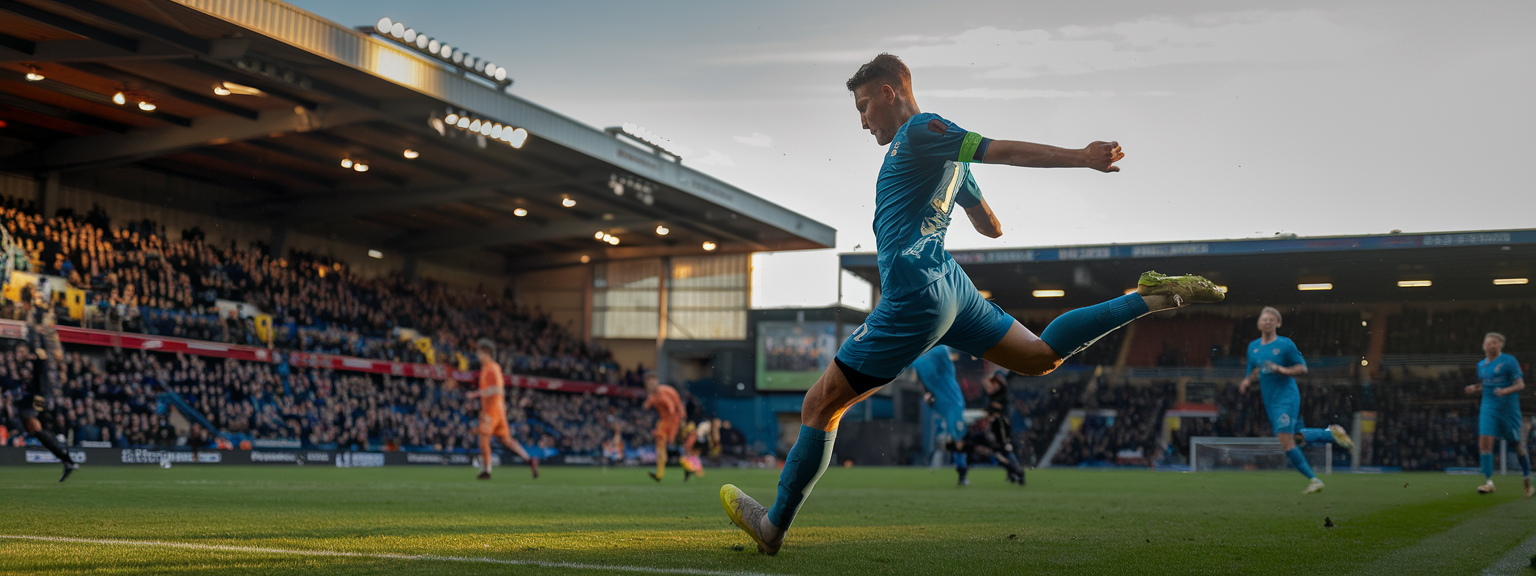
![[Photographer using fast shutter to capture athletes mid-air for Action Shots.]](https://lenslesson.com/wp-content/uploads/2025/11/perfect-action-shots-high-speed-photography.png "[Action Shots Capture]")