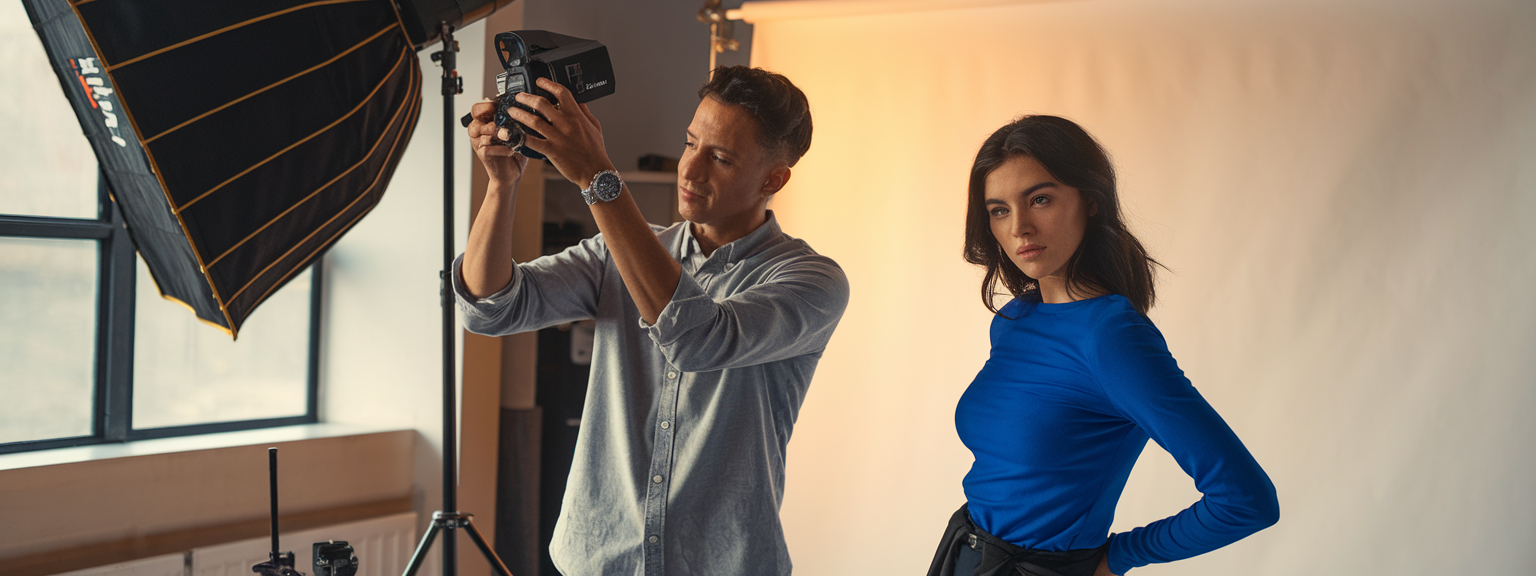
Mastering Action Shots: 12 Pro Tips to Freeze Motion and Add Drama — action shots

📝 Step-by-Step Guide: Action Shots Workflow
Introduction to the workflow
Action shots are where photography becomes kinetic storytelling — whether you are working in sports photography, high-speed photography, or motion photography, capturing the decisive moment requires technique, preparation, and creativity. In this step-by-step guide you will learn a repeatable workflow for preparing, shooting, and processing action shots so you can increase your hit rate and deliver consistently strong images.
Step 1 — Plan and prepare
- Define the narrative: decide whether you will freeze motion or use motion blur to convey speed.
- Scout location: evaluate light direction, background clutter, and safe vantage points.
- Prepare equipment: choose a fast lens, set spare batteries, high-speed card, and monopod if needed.
Step 2 — Set camera modes and primary exposure
Use Manual mode for full control or Shutter Priority (Tv/S) when speed matters most. For freezing most sports, aim for 1/1000s–1/2000s. For panning and creative motion blur, reduce shutter to 1/30s–1/125s. Adjust aperture to balance depth of field and light, and raise ISO only as necessary to preserve image quality.
Step 3 — Autofocus, drive, and stabilization
- AF-C (continuous autofocus) with zone or tracking is essential for unpredictable movement.
- Use burst mode to increase your chance of catching the decisive instant; short targeted bursts reduce culling time.
- Employ a monopod or gimbal when using heavy telephotos to steady tracking.
Step 4 — Composition and timing
Follow the action with your eyes, anticipate motion, and leave leading space in the frame. For example, place a running athlete off-center with space in front of their direction of travel. Practice pre-focusing on key positions when actions happen at predictable marks.
Step 5 — Post-capture workflow
- Cull bursts using sharpness and expression as primary criteria.
- Crop to enhance composition and remove distractions.
- Use localized sharpening and conservative noise reduction to preserve detail.
📌 Practical Applications: Action Shots In Photography
Sports photography
Sports photography relies on fast shutter speed, accurate continuous autofocus, and burst mode. For soccer, football, or fast court sports, use 1/1000s–1/2000s, apertures f/2.8–f/4 to isolate subjects, and Auto ISO limited to a threshold that preserves usable noise levels. Position on the sideline for horizontal action and at low angles to emphasize power. Use telephotos like 70–200mm f/2.8 or 100–400mm for reach.
High-speed photography (macro & micro)
High-speed photography often depends more on flash duration than on shutter speed. Use short-duration studio strobes and high-speed triggers to capture drops, splashes, and impacts. Typical settings include ISO 100, aperture f/8–f/16 for sufficient DOF, and synchronized flash power set low to shorten flash duration. Precise timing and a stable tripod are crucial.
Creative motion photography
For panning technique, choose 1/30s–1/125s and track the subject smoothly while firing bursts. Rear-curtain flash is excellent when you want a motion trail with a crisp subject. For light trails or dance, combine slow shutter with controlled flash to retain subject detail and emphasize movement.
💡 Tips & Tricks: Action Shots Techniques
1. Master the exposure triangle
Shutter speed controls motion depiction. Therefore, when you increase shutter speed to freeze action, compensate with wider aperture or higher ISO. For example, doubling shutter speed from 1/500s to 1/1000s requires one stop more light.
2. Use burst mode strategically
Burst mode increases your chance of capturing the decisive moment. However, avoid long endless bursts; short targeted bursts reduce review time and save card space.
3. Configure autofocus for tracking
Set AF-C with a zone or 3D tracking when subjects move unpredictably. Back-button focus helps you keep focus locked while releasing the shutter as needed.
4. Practice panning to build muscle memory
Panning requires smooth body motion and consistent framing. Practice with cyclists or cars at varying shutter speeds to learn the right pace for motion blur.
5. Control depth of field with intent
Use wide apertures for subject isolation; stop down when you need multiple subjects in focus. For macro high-speed work, smaller apertures are often necessary to get adequate DOF.
6. Use flash creatively
High-speed sync (HSS) lets you use faster shutter speeds with flash in bright conditions. Rear-curtain flash preserves motion trails and freezes the subject at the end of the exposure.
7. Stabilize smartly
Monopods and gimbal heads reduce fatigue and make it easier to track moving subjects. However, when panning, switch stabilization to a panning mode or disable it to prevent hunting.
📸 Sample Scenario
Scenario A — Evening Soccer Goal
Objective: freeze the striker’s foot connecting with the ball and capture the goalkeeper’s reaction. Use a 70–200mm f/2.8 on a full-frame body. Set Manual exposure with shutter 1/1600s, aperture f/2.8–f/4, and Auto ISO limited to 6400. Use AF-C and a mid-size zone covering the striker. Fire short bursts timed to start before the foot meets the ball and stop after the immediate reaction. Review sequences for eye sharpness and ideal ball placement before leaving the sideline.
Scenario B — Studio Water Drop Collision
Objective: capture the crown splash when two drops collide. Use a macro lens on a tripod and a controlled drip system with a high-speed trigger. Set camera to Manual, shutter at sync speed (for example 1/200s), aperture f/11, ISO 100. Use low-power flash (1/32–1/64) to reduce flash duration and freeze motion. Pre-focus the lens on a fixed marker, switch to manual focus, then iterate timing in small increments until you capture the collision.
✅ Key Do’s for Effective Usage
Essential practices
- Do learn the sport or action; knowledge improves anticipation and timing.
- Do use AF-C and burst mode for moving subjects.
- Do pre-focus when actions occur at predictable points.
- Do shoot RAW to preserve editing latitude.
- Do keep spare batteries and fast cards accessible.
- Do review sequences to identify the single best frame and learn from misses.
❌ Common Mistakes to Avoid
Frequent errors and fixes
- Mistake: Using single-shot mode for unpredictable action. Fix: Enable burst mode.
- Mistake: Leaving AF-S on for moving subjects. Fix: Switch to AF-C with tracking.
- Mistake: Trying to freeze everything with excessive shutter speed and noisy ISO. Fix: Balance shutter, aperture, and ISO; use faster glass.
- Mistake: Ignoring background clutter. Fix: Change angle or use shallow DOF to isolate subject.
- Mistake: Expecting every burst to be a winner. Fix: Practice and accept that only a subset of frames will be publishable.
🔄 Troubleshooting & FAQs
Troubleshooting common problems
Problem: blurry subject despite high shutter speed. Possible causes include missed focus, camera movement, or subject motion direction. Fix: use AF-C with a wider focus area, stabilize with a monopod, and increase shutter speed if the subject is extremely fast.
Problem: underexposed frames at high shutter speeds. Fix: open aperture, raise ISO within acceptable noise limits, or add light via flash or portable lighting.
Voice-search friendly FAQs
Q: What shutter speed should I use for action shots? A: Use 1/1000s–1/2000s for fast sports, 1/500s–1/1000s for moderate action, and 1/30s–1/125s for panning to create motion blur.
Q: How do I stop motion blur in sports photography? A: Use a fast shutter (1/1000s+), continuous autofocus (AF-C), fast lenses (f/2.8), and burst mode. Increase ISO or use flash when light is low.
Q: Is burst mode necessary for action shots? A: Yes. Burst mode raises the probability of capturing the decisive instant by recording multiple frames per second.
Q: What is panning and when should I use it? A: Panning (1/30s–1/125s) tracks the subject while blurring the background. Use it to convey speed and direction in cycling or motorsports.
Q: How do I freeze tiny fast events like water splashes? A: Use short-duration flash, a high-speed trigger, and precise timing. Set a small aperture (f/8–f/16) for depth of field, and use low ISO for clean results.
Q: What are the best AI tools for photography productivity? A: Use Adobe Sensei features in Lightroom and Photoshop for automated masking and enhancement; Topaz Labs for AI denoise and sharpening; Luminar Neo for batch edits and sky replacements. These tools accelerate culling and retouching, but always review automated results manually.
🖼️ Bringing It All Together
Checklist and final workflow
Use this pre-shoot checklist: batteries charged, memory cards formatted, lens clean, AF-C enabled, burst mode set, and monopod ready. Warm up with practice frames, anticipate action, expose for subject priority, and review histograms periodically. After the shoot, cull bursts, select the frame with the best expression and sharpness, then apply targeted sharpening and conservative noise reduction.
Final thoughts: action shots blend technical control with anticipation and creativity. Practice specific skills—panning, long-lens tracking, and high-speed flash—and analyze your sequences to improve timing. Over time, your hit rate will rise and your images will convey more drama and clarity.
![[Person taking an outdoor portrait demonstrating Quick Photo Tips]](https://lenslesson.com/wp-content/uploads/2025/12/quick-photo-tips-better-photos.png "[quick-photo-tips-outdoor-portrait]")
![[Photographer capturing candid subjects at a busy city crosswalk for street photography]](https://lenslesson.com/wp-content/uploads/2025/12/street-photography-candid-crosswalk-urban.png "[Street Photography Crosswalk]")
![[Flat-lay of must-have photography gear including camera, lenses, tripod, camera bag, and lighting accessories]](https://lenslesson.com/wp-content/uploads/2025/12/must-have-photography-gear-flatlay.png "[Must-Have Photography Gear Flatlay]")
![[Close-up of a ladybug on a leaf showcasing macro photography detail and texture]](https://lenslesson.com/wp-content/uploads/2025/12/macro-photography-ladybug-close-up.png "[ladybug-macro-photography]")